Renko support and resistance is one of the simplest ways to turn Renko chart structure into a practical trading plan. Because Renko bricks filter out noise, key levels and zones are often clearer than on candlesticks.
In this guide, I’ll show you a simple, repeatable way to draw Renko support and resistance zones that are actually useful for trading decisions, plus how I confirm breakouts and avoid the most common mistakes.
Educational only. Strategies are ideas for experimentation, not financial advice.
What “Support” and “Resistance” Mean on a Renko Chart
On a Renko chart, support and resistance are not about time. They are about where price repeatedly reacts.
- Support: A price area where down-moves repeatedly stall and reverse.
- Resistance: A price area where up-moves repeatedly stall and reverse.
- Zone: A band of prices, not a single perfect line.
Renko makes these areas stand out because bricks form only after price moves enough to print them.
The 3 Rules I Use to Draw Renko Levels
Rule 1: Start with the most obvious turning points
Look for areas where price:
- reverses hard
- pauses for multiple bricks
- creates multiple touches across different swings
If you have to “force it,” skip it.
Rule 2: Draw zones, not razor-thin lines
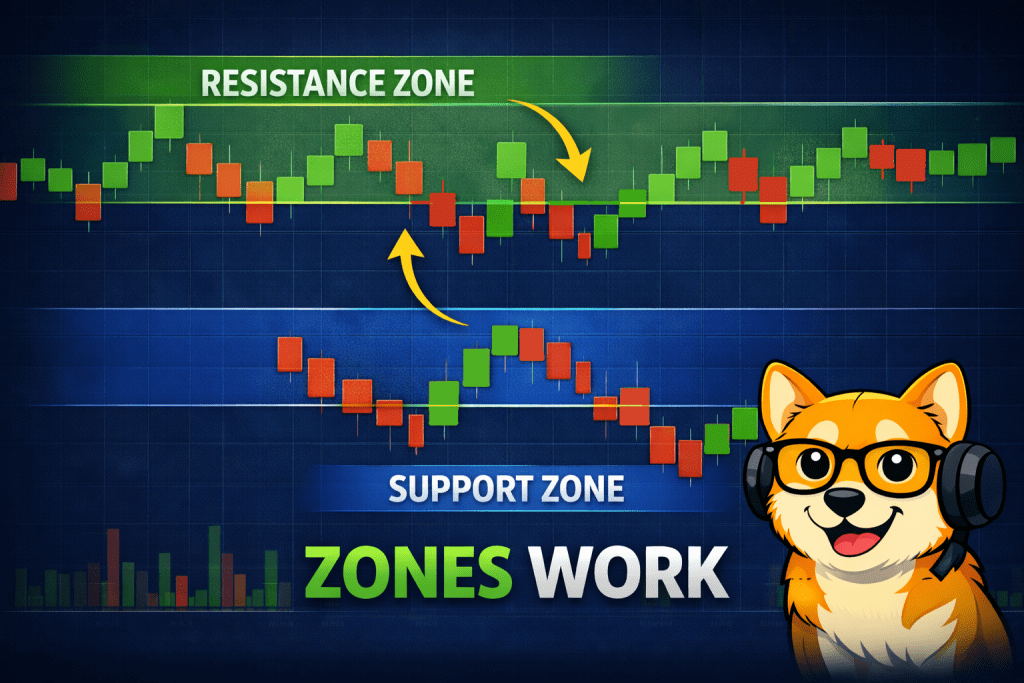
A single line is too precise. Use a zone that covers the reaction area:
- Top of the zone = where wicks or brick edges often stop
- Bottom of the zone = where price often “tests” before moving away
A good zone helps you avoid the “it missed my line by one tick” problem.
Rule 3: Validate levels by number of reactions
A level matters more when it has:
- 3+ clean reactions, or
- 2 reactions plus a major breakout/retest, or
- clear “role reversal” (old resistance becomes new support)
Why Renko Support and Resistance Works So Well
Renko support and resistance works well because the chart only prints new bricks after price moves a meaningful amount. That helps important reaction zones stand out, and it makes it easier to separate real levels from random chop.
Step-by-Step: Drawing Support and Resistance in TradingView (Renko)
- Pick your Renko type and brick size
- Fixed size: cleaner levels, more consistent structure
- ATR-based: adapts to volatility, but levels can shift more often
- Zoom out first
- Mark 2–4 major zones from the bigger structure
- Zoom in and refine
- Adjust zones to cover the cluster of reversals and pauses
- Keep it minimal
- If your chart looks like a barcode of lines, you are overfitting
Tip: Rename zones like:
- “Major Support”
- “Decision Zone”
- “Breakout Wall”
So when you review a backtest later, your reasoning is visible.
How I Trade Renko Levels Without Overcomplicating It
Setup A: Bounce (Support Hold)
Best when the trend is already in your favor.
Checklist
- Price approaches support zone
- Bricks slow down or start printing smaller sequences (stalling behavior)
- Reversal bricks appear away from the zone
Entry idea
- Enter on the first strong reversal away from support
Exit idea - First target at the next resistance zone
- Or use a trailing exit method you can backtest consistently
Setup B: Breakout (Resistance Break)
Best when a level has been tested multiple times.
Checklist
- Multiple failed attempts at resistance
- Breakout occurs with clean brick progression (not a single pop)
- Price closes beyond the zone by at least 1 brick (simple filter)
Entry idea
- Entry on breakout close or on the next brick after breakout
Exit idea - Partial exit near the next zone
- Or trail using a consistent rule
Setup C: Retest (The Highest-Quality Renko Level Trade)
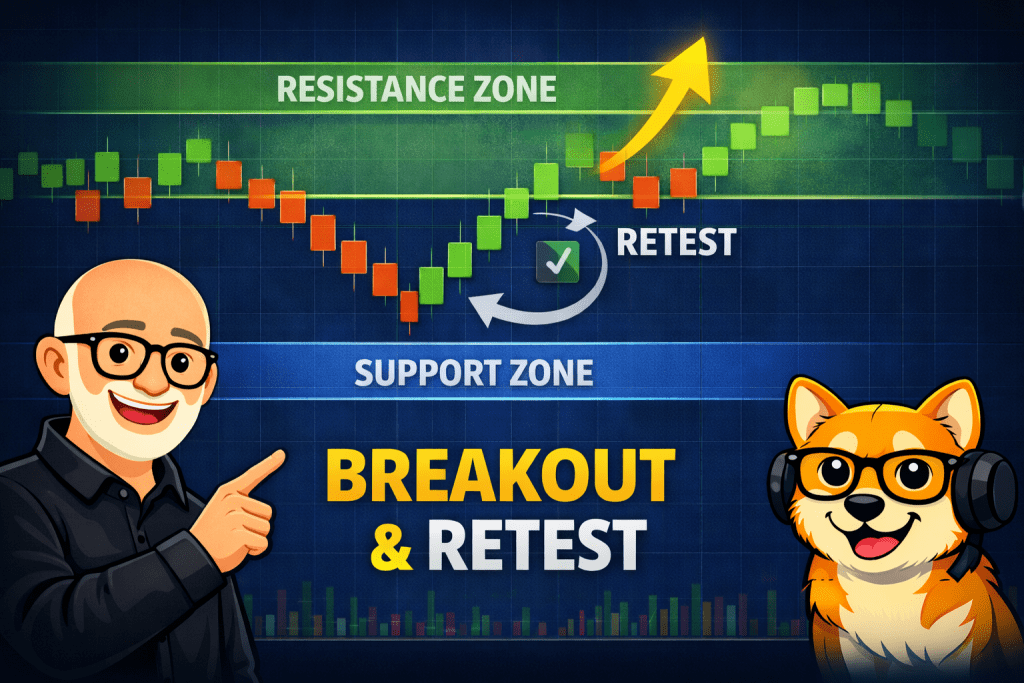
This is my favorite because it reduces false breakouts.
Checklist
- Breakout above resistance
- Price returns to “kiss” the zone
- Zone holds and price prints continuation bricks
Entry idea
- Entry after retest holds and continuation begins
Exit idea - Next major zone, or trail until reversal
This is where Renko support and resistance becomes most useful because the breakout level turns into a decision zone. If the zone holds on the retest, you get a cleaner entry with less guessing.
The 5 Most Common Renko Support and Resistance Mistakes
- Drawing too many levels
- Using single lines instead of zones
- Ignoring trend context
- Treating every touch as equal
- Changing levels constantly to “be right”
If you redraw levels every time price moves, you are not analyzing. You are narrating.
My Simple Confirmation Filters (Pick One and Backtest It)
You do not need five confirmations. Choose one you can stick with.
- Close filter: breakout only counts if price closes 1 brick beyond the zone
- Retest filter: only trade after breakout + retest hold
- Trend filter: only take bounces in the direction of the larger trend (even a simple MA helps)
The goal is consistency you can backtest, not perfection.
Connect With Me on YouTube
If you enjoy learning Renko trading through real chart examples, backtests, and practical walkthroughs, I regularly publish educational videos on my YouTube channel.
On the Renko Trading Channel, I focus on:
- Real TradingView demonstrations using Renko charts
- Strategy experiments and backtesting results
- Brick size selection and optimization ideas
- Entry and exit logic explained step by step
- Trading psychology and risk management concepts
👉 Subscribe to the Renko Trading Channel here
Many of the strategies discussed on this site are demonstrated visually on the channel so you can see how decisions develop in real chart conditions rather than just reading theory.
Additional Renko Learning (Recommended Articles)
If you want to continue building your Renko trading framework, these guides connect directly with support and resistance concepts and help you develop a complete trading process.
Renko Foundations
Start here if you want a stronger understanding of how Renko structure forms market levels:
- What Is a Renko Chart and How I Use It in Trading
- How Renko Charts Work: A Trader’s Guide
- Renko Chart Basics
Entries, Exits, and Trade Management
Once you identify strong support and resistance zones, these guides help refine execution:
Brick Size and Chart Structure
Support and resistance reliability depends heavily on proper brick sizing:
- ATR-Based Renko Brick Size Calculation
- Renko Brick Size Backtesting in TradingView
- Brick Size, Wicks, and Reversal Confirmation
Strategy Development and Backtesting
Turn support and resistance ideas into structured, testable strategies:
- Backtesting Renko Chart Strategies
- Renko Buy and Sell Signals Guide
- Dynamic Renko Indicators for Analysis
These articles work together to help you move from identifying levels to building consistent, repeatable trading ideas you can test and refine over time.
FAQ (Great for an FAQ block or schema later)
Do support and resistance work better on Renko than candlesticks?
They can be easier to see on Renko because noise is reduced, but levels still fail. The edge comes from consistent rules and risk control, not the chart type.
Should I draw levels from Renko or from candlesticks?
If you trade Renko signals, draw levels on Renko first. If you want higher confidence, compare with a candlestick chart and keep only the levels that agree.
How many support and resistance zones should I keep on my chart?
Usually 2–5 meaningful zones are enough. More than that often becomes overfitting.
What is the best way to avoid false breakouts on Renko?
The simplest method is the retest rule: wait for breakout, then wait for the zone to hold on a pullback.
Closing
When you keep it simple, Renko support and resistance becomes a repeatable framework: fewer zones, wider boundaries, and one confirmation rule you can actually test. The goal is not perfect levels. The goal is consistent decisions you can backtest and improve over time.